


Your ideas.
Ready to take shape.
Start with a template, bring your brand, and make the details your own. Creatives puts editable layouts, images, business materials and project context together inside GearHead.
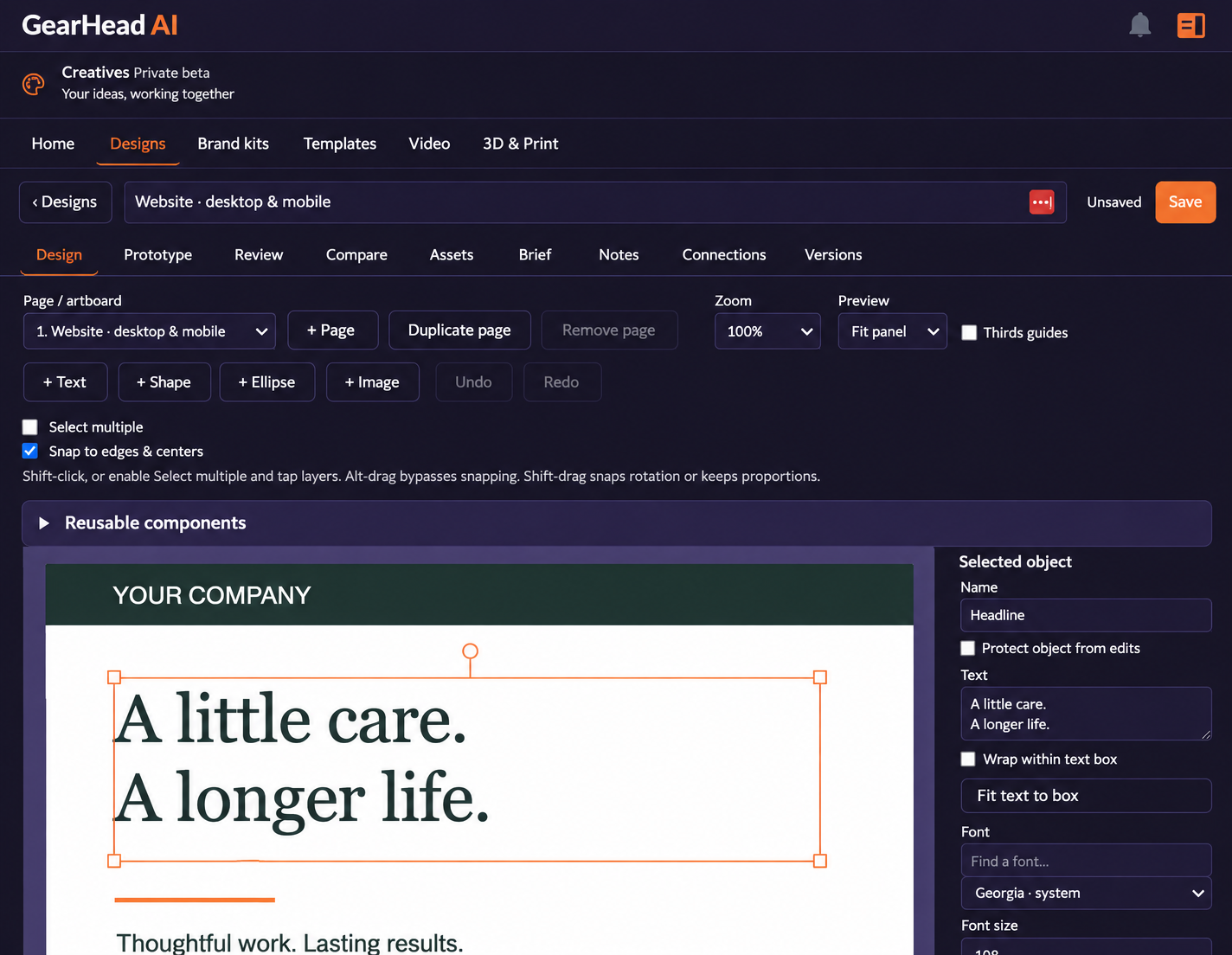
Move from an idea to a design you can keep working on. Build with text, shapes and images, reuse your brand assets, and keep the brief, notes and versions close to the work. Creatives is currently in private beta; access and available tools depend on your account.
Work on the design, not just the prompt
What it does for you
A place to create, refine and carry your work forward.
Graphics & ads
Build editable visual layouts for promotions, social posts and campaigns. Place and adjust text, shapes and images on the canvas.
Business materials
Start from templates for the everyday materials your business needs. Use your own copy, imagery and styling instead of rebuilding each time.
Brand kits & assets
Keep brand colors, logos and reusable assets together. Bring a consistent look to new designs and adapt templates to your business.
Web & interface concepts
Explore layouts across artboards. Use prototype, review and handoff tools to communicate the design before implementation.
A working editor
Adjust typography, alignment and layers, duplicate pages and reuse components. Keep briefs, notes and versions attached to the design.
Exports for the next step
Export supported designs to formats such as SVG, PDF, PNG, editable source, Word and PowerPoint. Format availability and fidelity depend on the design and enabled tools.
From setup to running in minutes
Choose a starting point
Pick a template or design type and bring in the assets you want to use.
Make it yours
Edit the layout and content, apply your brand and refine the work across pages.
Review and export
Save the design, review the result and choose an available format for the next part of your workflow.
A few useful details
Is Creatives available to everyone?
Creatives is in private beta. Contact us about access and the tools enabled for your account. This preview does not change your plan or grant beta access.
How does this relate to image and video generation?
GearHead’s image and video tools create media. Creatives gives you a workspace for arranging and editing designs around your assets, with brand kits and templates. Its Video and 3D & Print areas support dedicated workspaces; available generation and export actions vary by tool.
Do all export formats look identical?
Different formats serve different purposes. Editable Word output follows a document reading flow, while PowerPoint uses slides. Review the exported result before publishing or sending it to print.
Bring your brand.
Build something useful.
Ask for a Creatives walkthrough and learn what is available in the private beta.