


Your leads deserve more than a name in a spreadsheet. Lead Tracker brings the person, source, sales stage and next action into one workspace. Add leads yourself, bring in supported connected sources, and ask GearHead for help with the follow-up.
Your pipeline, at a glance
What it does for you
Enough structure to stay on top of opportunities. Simple enough to use every day.
A useful snapshot
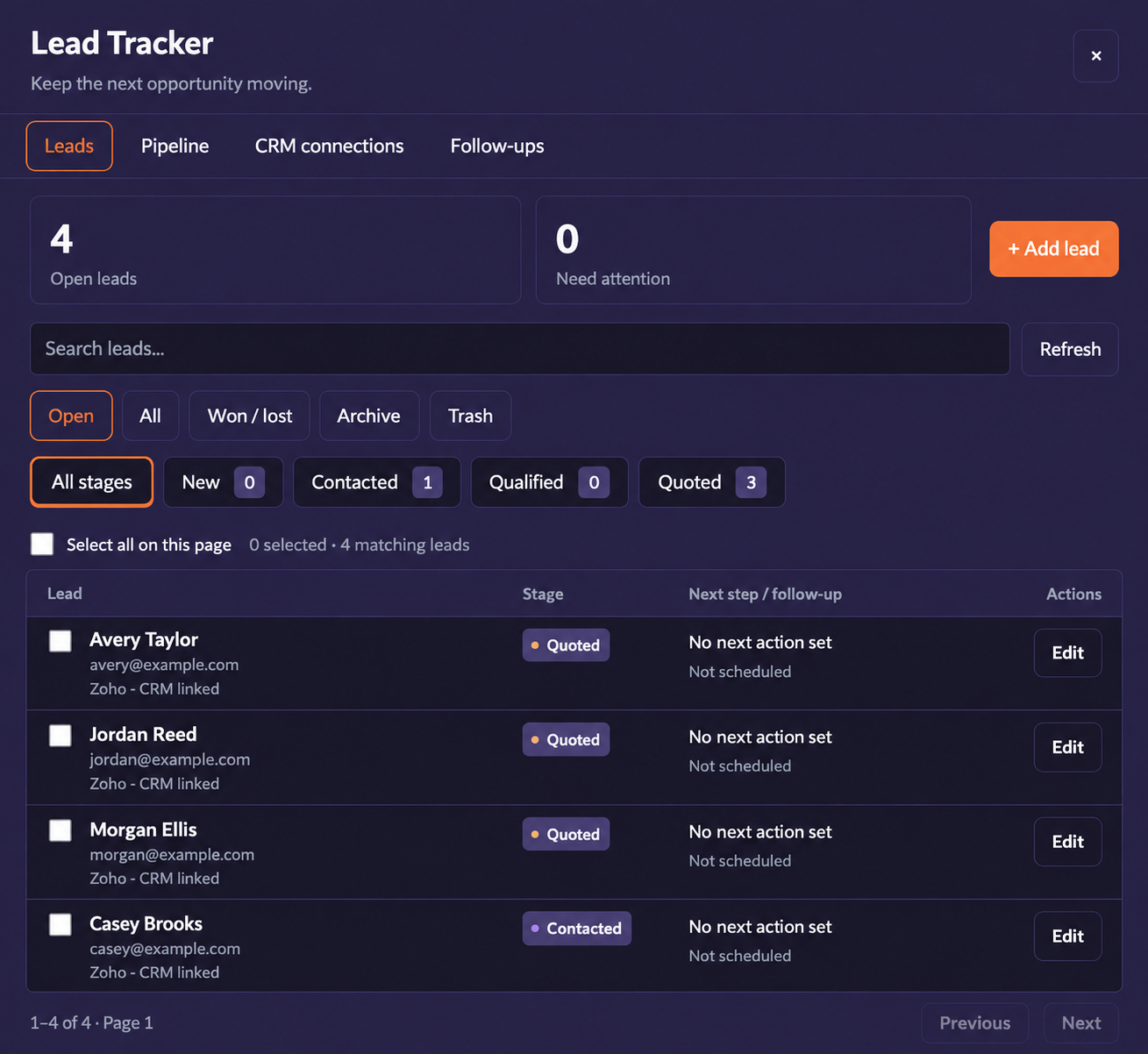
See open leads and leads needing attention. Filter by stage or switch between open, all, won/lost, archive and trash views.
Pipeline or list
See where each opportunity sits: New, Contacted, Qualified, Quoted, Won or Lost. Stage counts help you spot where work is gathering.
Clear next steps
Keep requirements, budget, notes and follow-up dates with the lead. An explicit Edit button takes you straight to the details.
Move several leads together
Select individual leads or everyone on the current page, then move them to the next stage together. Pipeline selection stays scoped to the leads shown.
Your CRM, in context
Opt into supported HubSpot, Zoho and JobNimbus imports. Keep the source and verified CRM relationship visible alongside your local sales stage.
Follow-ups that stay visible
Choose available in-app, push, email or morning-update reminders. Discuss a lead with GearHead when you need help deciding what to do next.
From setup to running in minutes
Bring your leads together
Add a lead, save one from supported research or intake tools, or enable a supported CRM feed.
Give each lead a next step
Set the sales stage, record the requirement and schedule a follow-up.
Keep things moving
Review the snapshot, filter your pipeline and update one lead or a selection at a time.
A few useful details
Does this replace my CRM?
It gives you a focused lead workspace inside GearHead. Supported CRM connections can bring recent leads into view and support handoffs; it is not a full mirror of every CRM record or custom workflow.
Does changing a stage update my CRM?
Your Lead Tracker sales stage is local to GearHead. A CRM link shows the relationship to the remote record; moving a lead here does not automatically change its CRM stage.
Can I connect website inquiries?
Connected GH Sites can send eligible inquiries to Lead Tracker when lead capture is enabled, preserving where they came from. Spam screening and lead-capture settings are controlled in Website Manager.
Keep the next opportunity moving.
See how Lead Tracker fits your customer workflow in a GearHead walkthrough.