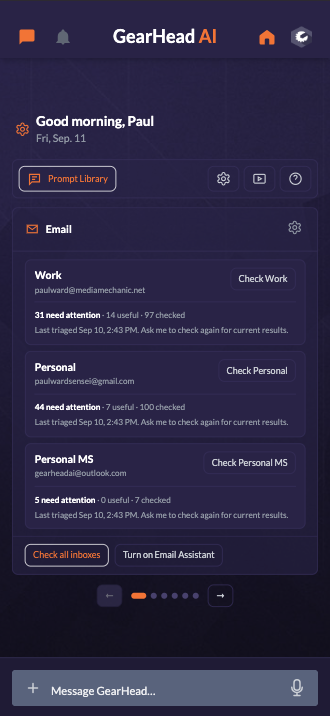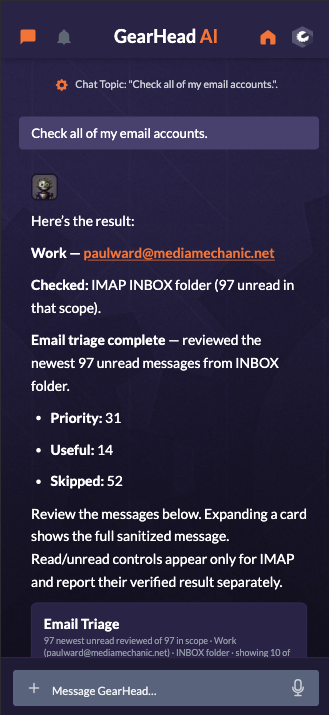


AI that works your way

Meet the AI assistant that comes ready to work.

Make it yours from the first hello. Choose its personality, voice, knowledge, and look—then put ready-made tools, live information, and the services you already use behind one helpful assistant.

Make GearHead yours See GearHead in action

Start small. Use what you need today. Add more when you are ready.

Your work. Your personality. Your assistant.
40+built-in business integrations
100+specialized live data and API connections
40+professional playbooks—and growing
4AI model families in the current Teams roster
Your day, already organized

Your assistant—not another app to manage.

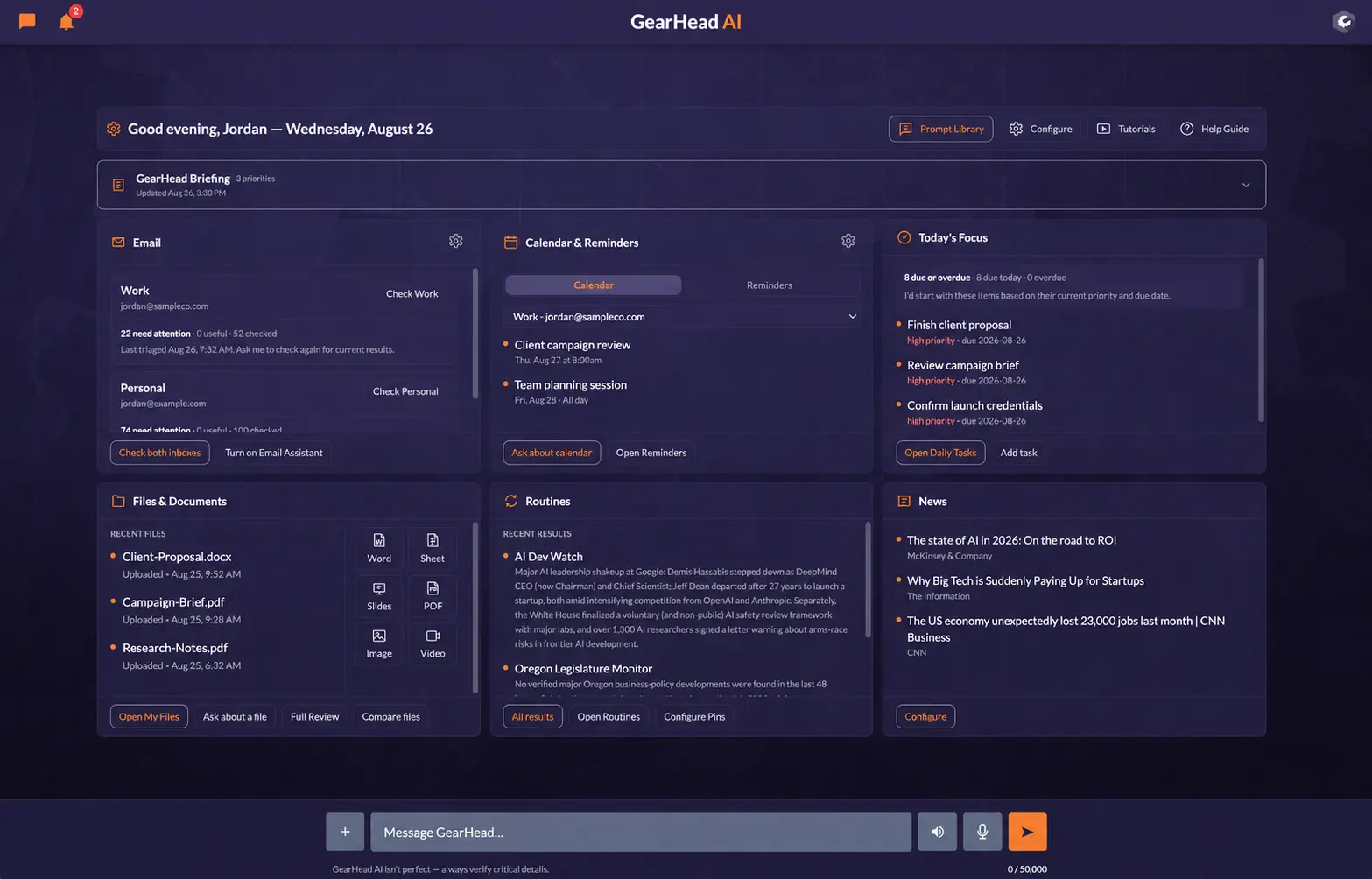
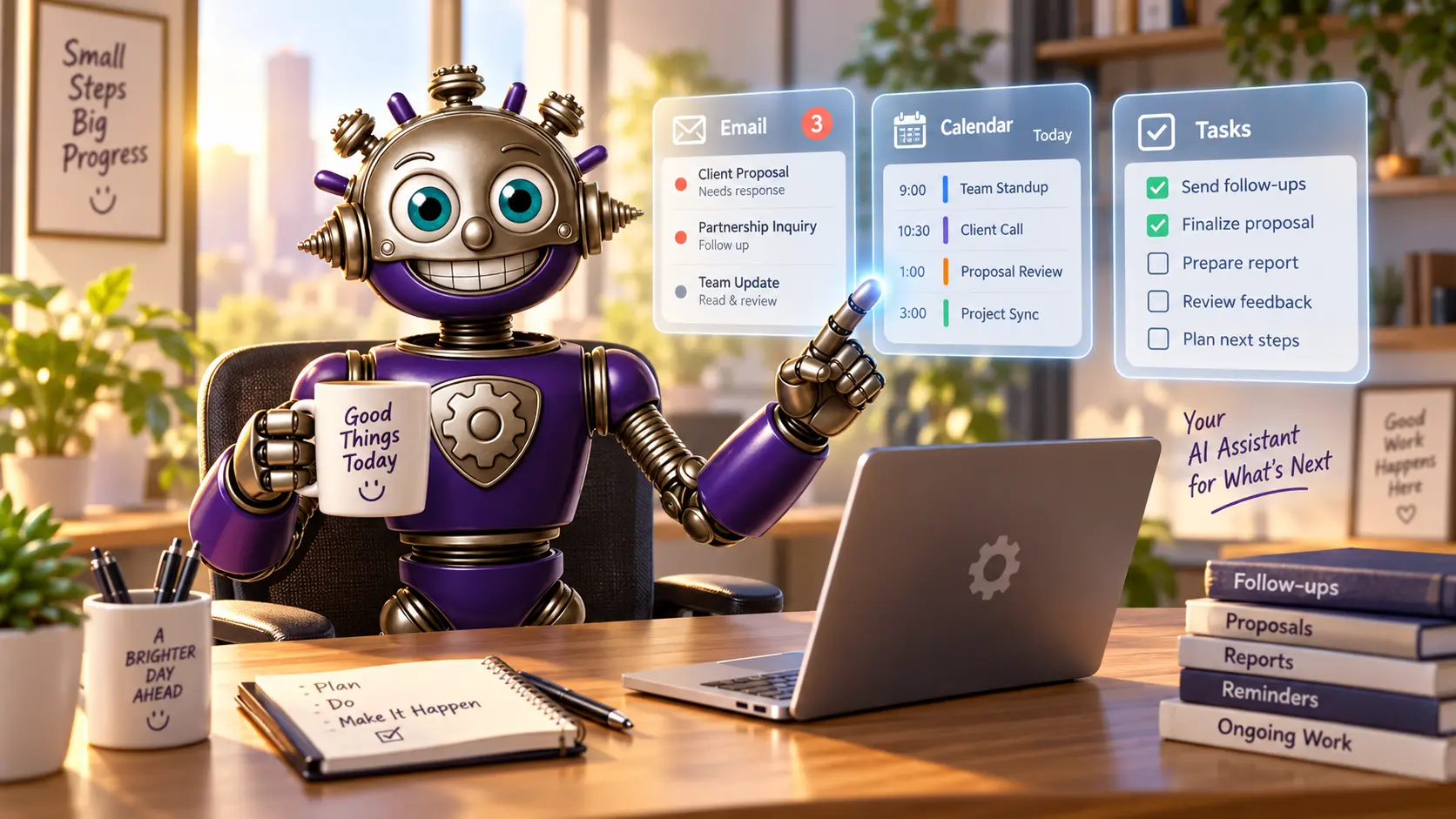
Ask GearHead what needs your attention in the morning. It can bring together important email, upcoming appointments, unfinished tasks, reminders, recent work, and the next decisions waiting for you.

Then keep going. Ask it to draft the reply, schedule the appointment, prepare the document, follow up with the client, or help plan the rest of your week.

Take a detailed look at the Dashboard →
GearHead reviewing email, calendar appointments, and tasks at the start of the day
Walk into a prepared day instead of another empty prompt.
Monitor supported inboxes and help identify what needs attention.
Work with Google and Outlook calendars while retaining the exact account and calendar involved.
Answer business calls, take useful information, and help schedule appointments through the Phone Agent.
Keep reminders, daily tasks, projects, clients, and ongoing work in view.
One assistant, more ways to work

Conversation in front. Serious capability behind it.

Talk naturally, move into a purpose-built tool when it helps, and choose from the AI families available to your plan without starting over in separate products.

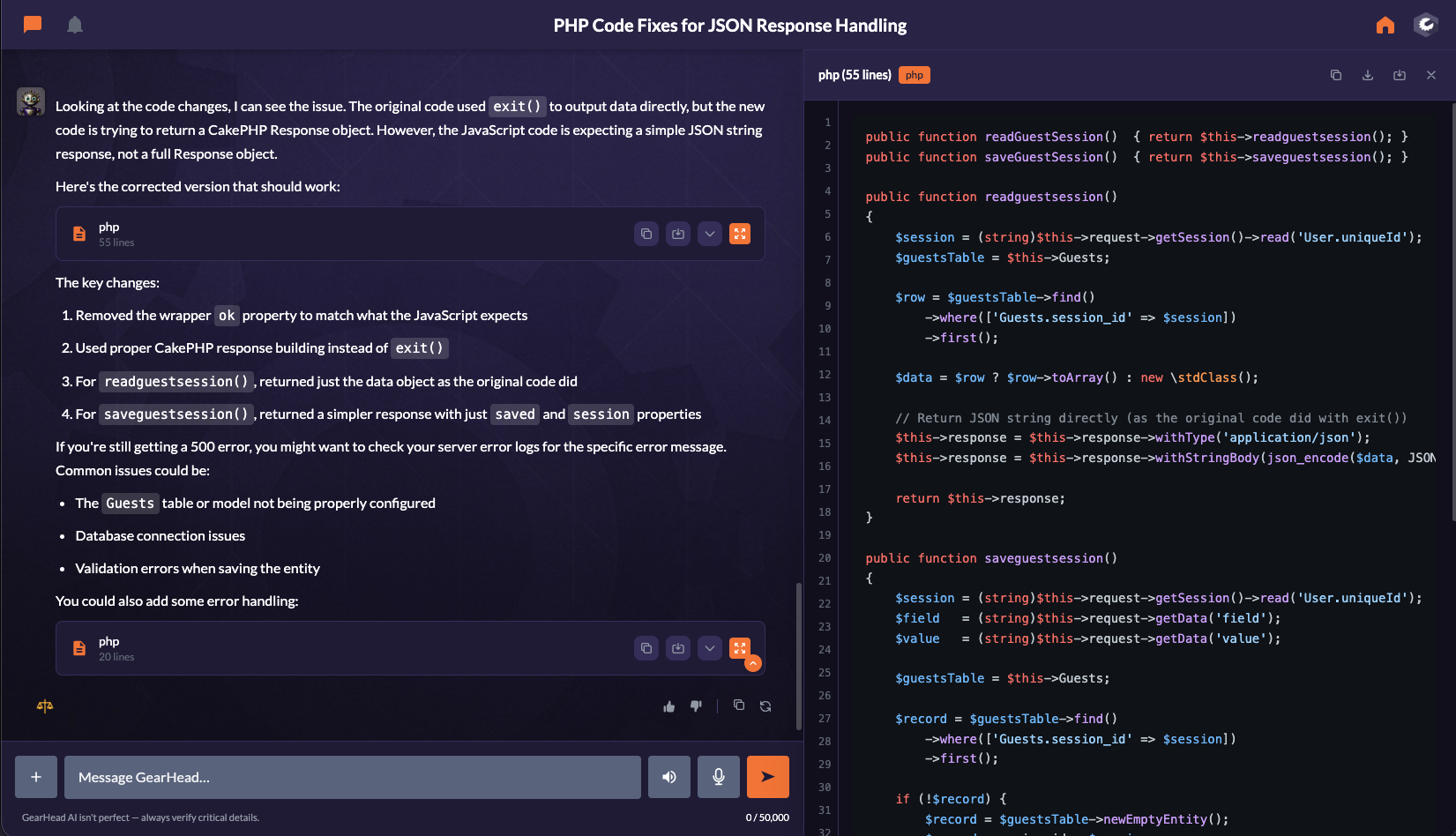
GearHead turning a natural conversation into a calendar appointment and a finished proposal
From conversation to completed work in the same assistant.
Natural conversation with real controls

Talk when it is easier. Click when it is faster.

You should not need special commands to get useful work done. Talk to GearHead naturally by voice or text—even when your request is short, imperfect, or includes more than one thing.

When clicking is more convenient, GearHead’s tools include clear panels for the information and actions that matter most. Create something in chat, then open it in the appropriate panel without losing the conversation.

  • Ask naturally instead of learning a complicated AI platform.
  • Move from conversation to calendars, documents, projects, files, and other supported tools.
  • Review important details before GearHead performs a meaningful outside action.
  • Get the finished result back through the assistant—not a cold tool response.
Explore GearHead’s ready-made tools →
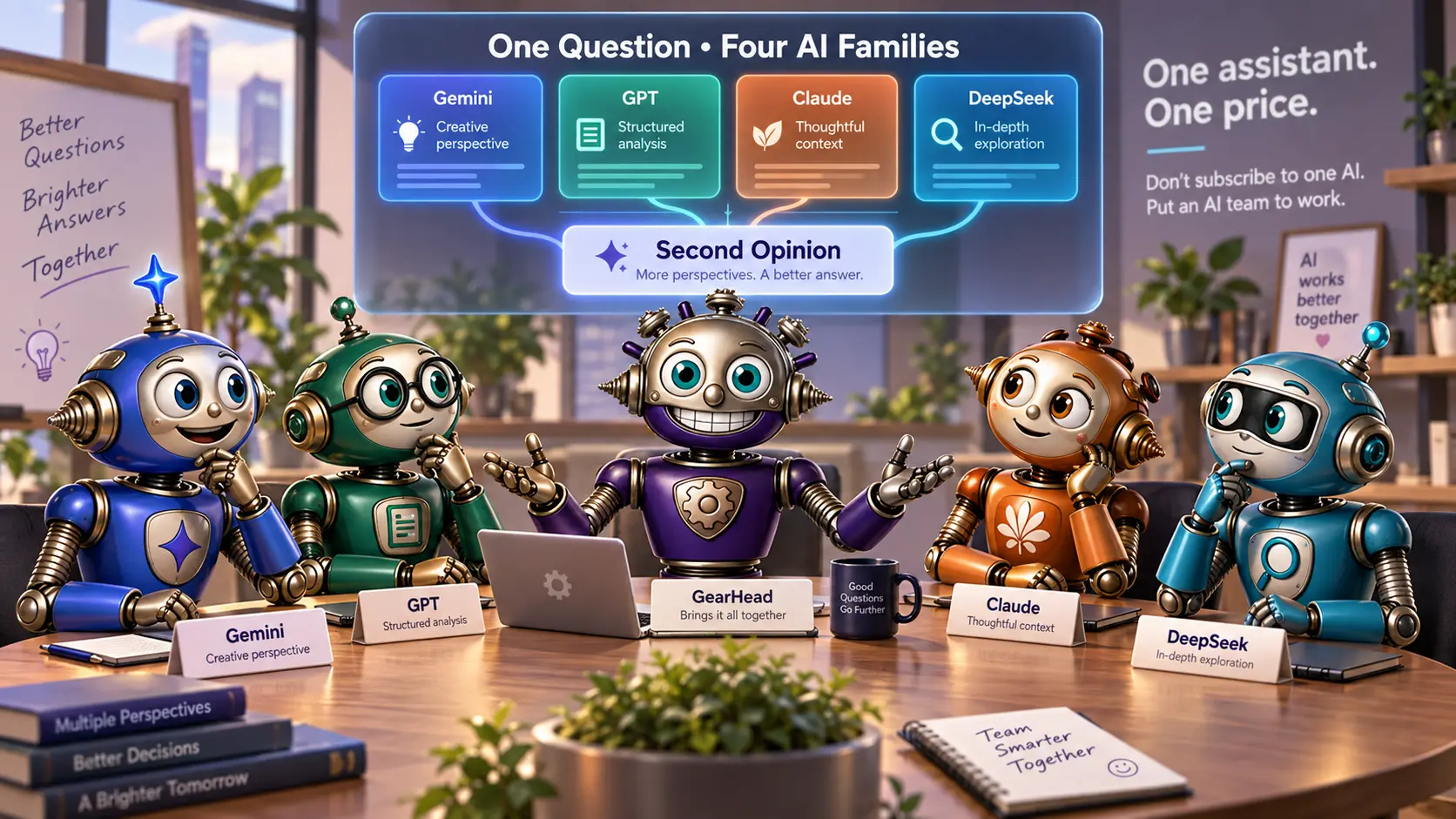
GearHead bringing four AI family perspectives together through Second Opinion
Several leading AI families. One GearHead assistant.
More than one AI family

Don’t subscribe to one AI. Put an AI team to work.

Most AI subscriptions keep you inside one company’s model family. GearHead brings the AI choices available to your plan into one assistant, one workspace, and one continuing business context.

Choose the model you prefer for everyday conversation. For supported work, GearHead can also use different AI and specialist services for analysis, tool handling, images, video, voice, and transcription—while you continue working with the same assistant.

One answer. Up to three additional reviewers. Four perspectives in one place.

On Pro and Teams, Second Opinion can compare the original answer with reviews from up to three other eligible models, then bring their agreements and concerns together at no additional charge.

GearHead DS 4.1 GearHead DS 4 Think Claude Sonnet 5.5 Claude Sonnet 5.5 Think GPT-5.6 Terra X-High GPT-6 Luna Gemini 3.8 Flash Gemini 3.1 Pro Claude Opus 5.5 Claude Fable 5.1 GPT-6.1 Sol Max GPT-6 Astra

Current model names come from GearHead’s live registry. Availability follows plan, account policy, provider availability, and finite premium-model allowances.

See how GearHead works across AI models →
One assistant across your existing tools

Keep the software you already use. Give it one assistant.

Your business probably does not run entirely on Microsoft or entirely on Google. GearHead works across both—and across the other systems that keep your business running.

GearHead connecting Microsoft, Google, email, calendar, storage, document, and business tools
Use Microsoft, Google, or both—without putting your whole business in one ecosystem.

40+ integrations connect business systems. 100+ specialized data and API connections reach government agencies, courts, market information, news, business intelligence, and other current sources.

  • Outlook, Gmail, and other supported email accounts through IMAP.
  • Microsoft Outlook Calendar and Google Calendar.
  • OneDrive and Google Drive.
  • Real Word documents, Excel workbooks, and PowerPoint presentations.
  • Specialized systems for legal, dental, construction, roofing, field service, sales, finance, and more.
  • Premium search and business data through supported GearHead workflows.
See connected business tools → See live data and playbooks →
GearHead rapidly preparing a finished proposal, spreadsheet, and presentation
Research, templates, playbooks, and business context brought into the finished file.
Professional work without the usual setup

The tools are already built. The work comes back finished.

You do not have to hunt for extensions, install a collection of add-ons, or build an interface before GearHead becomes useful.

Create professional documents from your own templates and saved business information. GearHead can use your pricing, services, company details, source files, research, and instructions to produce work that is ready to review—not another empty outline you still have to complete.

Explore code-free Routines →
Create genuine Word, Excel, PowerPoint, PDF, CSV, HTML, Markdown, chart, and code files.
Use code-free Routines for work that needs to happen repeatedly.
Apply 40+ detailed professional playbooks, with more added as GearHead grows.
Use live web research, specialist sources, and premium business data when current information matters.
Keep generated files in My Files or save supported outputs to connected storage.
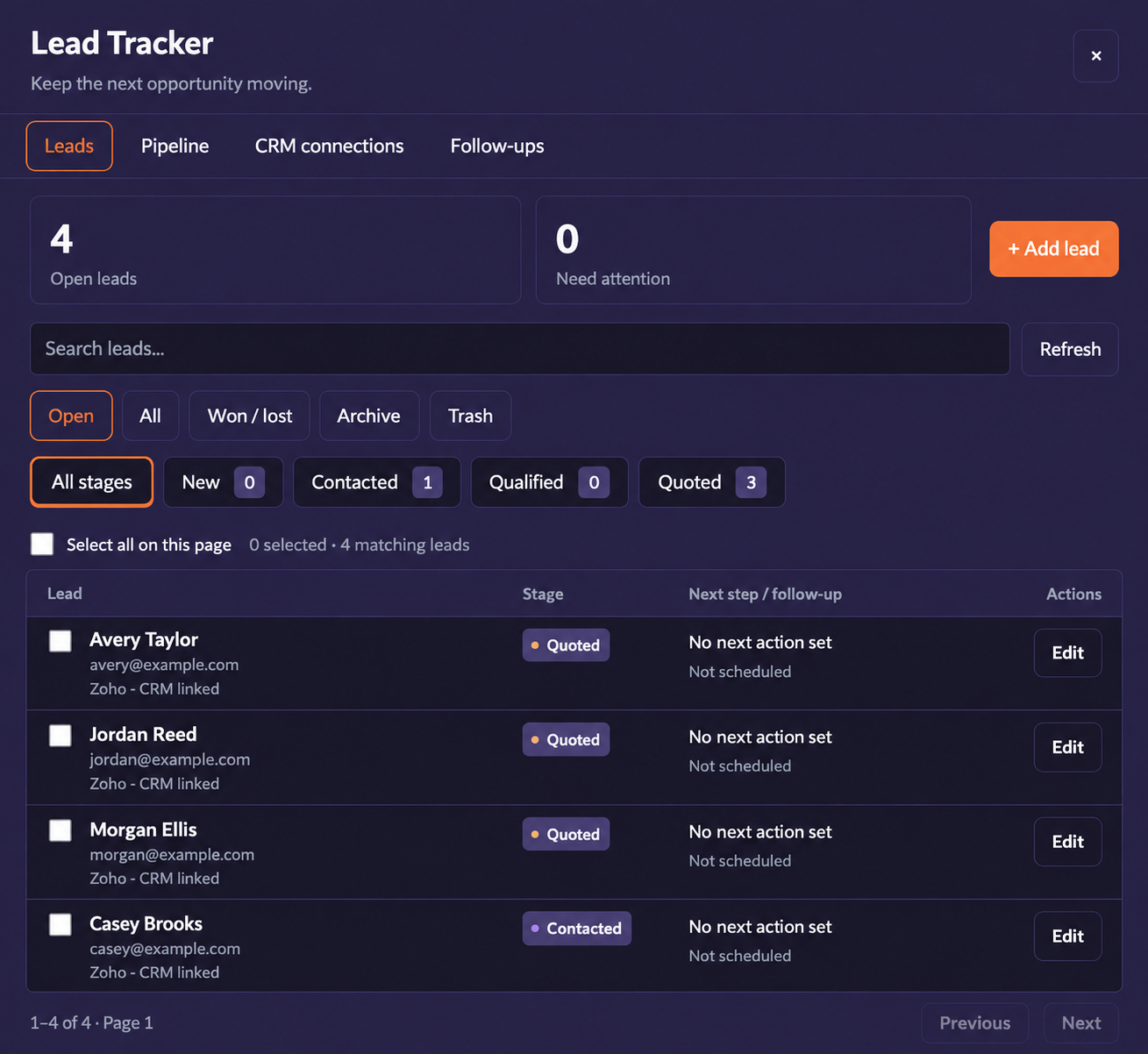
Lead Tracker

See the opportunity.
Know the next step.

Keep sales stages, next actions and follow-ups in view. Switch between a clear list and your pipeline, move several leads together, and keep supported CRM connections close.

Explore Lead Tracker →
Lead Tracker with sales stages, next steps and Edit buttons; fictional contacts
Every lead has a place—and a next step. Fictional contact details shown.
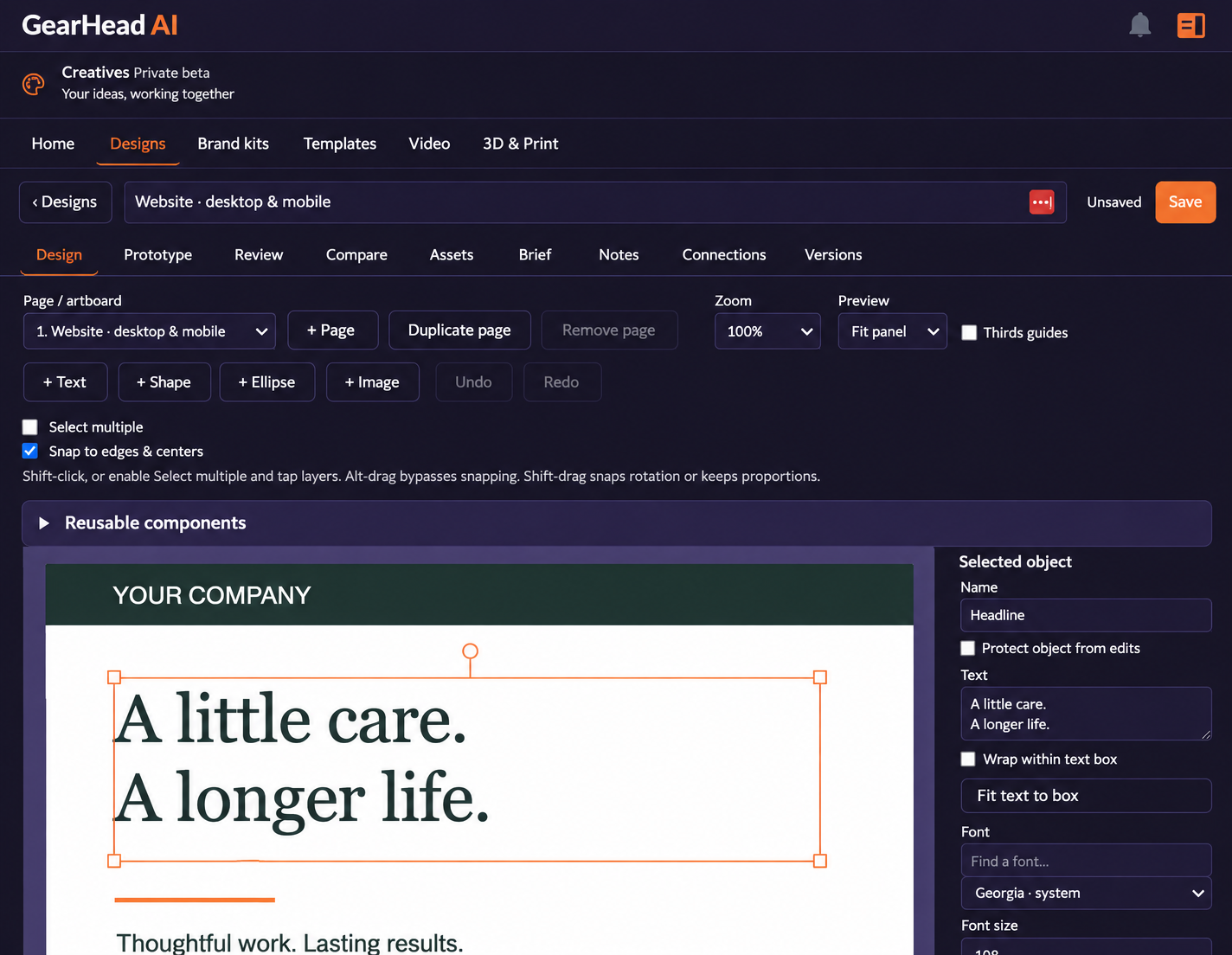
GearHead Creatives editor with editable typography and a website artboard
Editable designs, brand kits and templates. Creatives is in private beta.
Creatives · Private beta

Your ideas.
Ready to take shape.

Create graphics and business materials in a workspace built around your brand. Start with a template, refine the layout and keep your assets, notes and versions together.

Explore Creatives →
Operational memory

It remembers the work—not just the words.

GearHead’s memory is organized around people, companies, projects, conversations, and time. It can retain who a client is, which project a decision belongs to, where it was discussed, and when it happened.

That means GearHead can distinguish something discussed this morning from something discussed several weeks ago—and keep useful working knowledge connected as a project moves forward.

Personal and business context that carries across conversations.
Entity relationships connecting people, companies, projects, and work.
Project memory shared across authorized Teams users.
Permission-aware boundaries designed to keep private context private.
Explore GearHead’s memory →
GearHead organizing a client, company, project, conversation, and milestone along a timeline
People, projects, conversations, and time kept in context.
Powerful without being overwhelming

Your staff sees their job—not our feature list.

Use as much or as little GearHead as you need. Account administrators can decide which optional tools appear for each staff member while the system’s real permission controls remain authoritative.

For business owners

See the larger picture across communication, schedules, clients, projects, staff, documents, research, and unfinished work.

For staff and independent professionals

Keep the workspace focused on the customers, tools, projects, and responsibilities that belong to the job.

For personal and creative work

Plan the week, organize life, research ideas, create files and media, and use a personality that feels comfortable to work with.

Take a look inside

Your assistant. Your kind of workspace.

Choose a look you love. Keep the tools you need close. Talk to your assistant, then open a panel whenever clicking is easier.

Desktop1 / 2
Your dashboard brings the day into focus.
Mobile1 / 2
Your dashboard, on the go.
Celebrate the GearHead launch

A little more to get you started.

Website launch offer

A website for your business.
Your first year of hosting, on us.

Get a free GearHead-powered website with one year of free hosting. Bring your business online with GearHead behind it.

See the website offer →
For GearHead subscribers

Give a month.
Earn a month.

Know someone who could use a helpful assistant? Share your invite. They get a month to get started; you earn subscription credit after their first qualifying payment.

See how it works →

Plan-based credit. Teams rewards apply to one seat. See offer details.

One straightforward GearHead subscription

No pile of separate AI bills. No token meter for ordinary work.

Instead of maintaining separate paid subscriptions and separate workspaces for several AI families, choose one GearHead plan and keep the assistant, tools, memory, files, and eligible model choices together.

Personal
Limited-time 2026 offer
$10/month on annual

$120/year for the full first year · $10 month-to-month.

Start Personal
Pro
$24/month on annual

$290/year · $29 month-to-month. A single-user professional assistant with business tools, private projects, Second Opinion, and included professional allowances.

Start with Pro
Teams
$33/user/month on annual

$390/seat/year · $39 month-to-month. Shared company context, authorized team collaboration, admin controls, and included premium-model allowances. 2-seat minimum, growing teams.

Start Teams

Chat all you like with included models.

GearHead does not impose a session, daily, weekly, monthly, or token counter on included-model chat. Premium models use clear finite weighted-message allowances rather than token billing, and eligible Pro and Teams plans include starting allowances for selected premium tools. Context windows, storage, fair use, safety, and provider availability still apply.

See complete plan allowances and pricing →

Ready on day one. Built to grow with you.

Make it yours. Put it to work. Get back to what only you can do.

You do not need to understand models, tokens, agents, or complicated integrations. Tell GearHead what you are trying to accomplish—and let your assistant help with the work around it.

Create your GearHead Explore the tools Request a Demo