


See what matters
Start with priorities, messages, dates, tasks, files, research, and recent work.
GearHead brings your work, connected tools, business context, and AI into one configurable workspace—then helps you research, create, organize, and act from the same conversation.
Start with questions, research, files, and documents. The deeper business tools are ready when you need them.
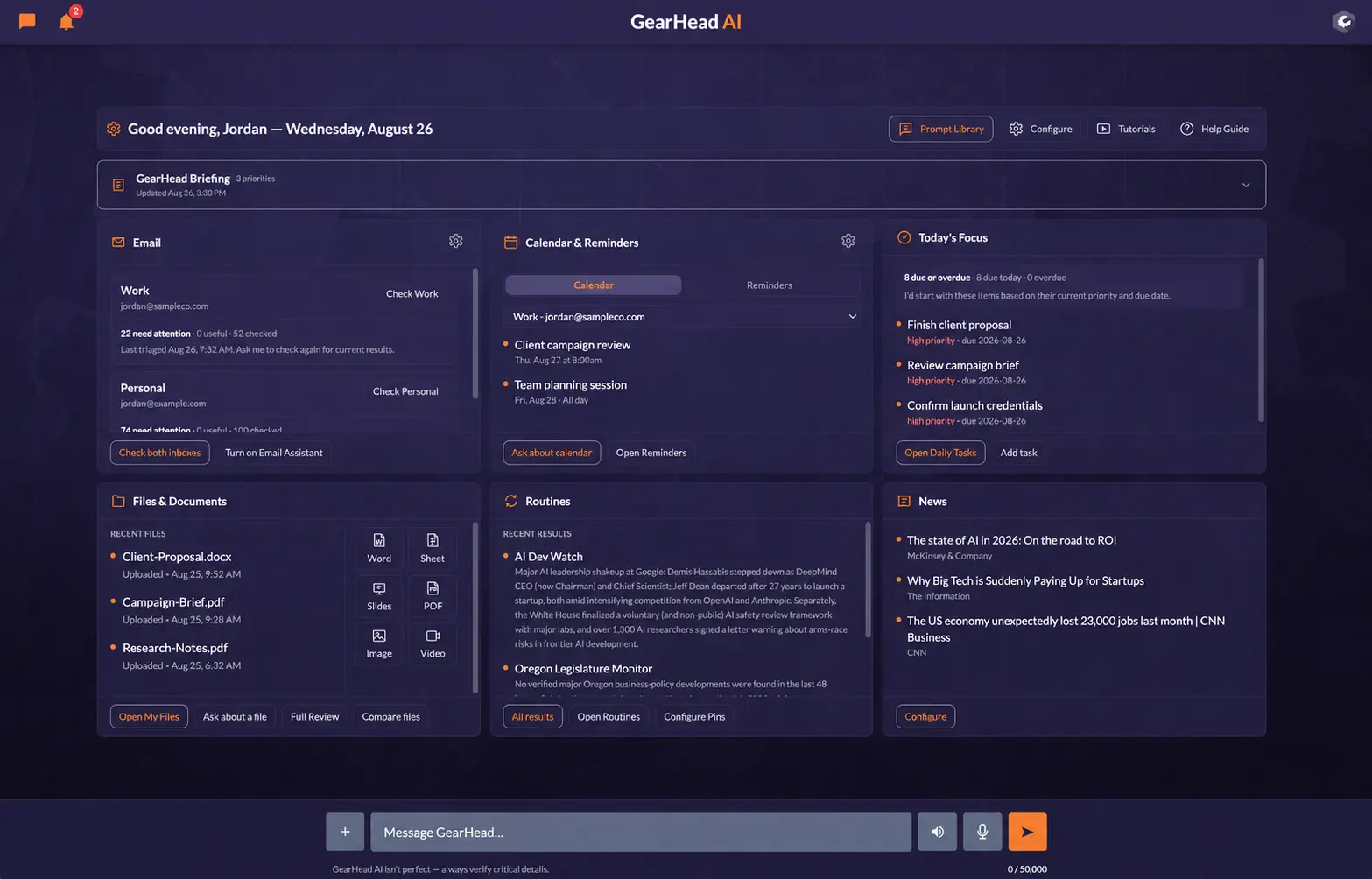
Start with priorities, messages, dates, tasks, files, research, and recent work.
Use a simple question, a terse follow-up, or a compound request in the normal composer.
GearHead can open the right panel, integration, specialist API, playbook, or live search path.
Continue inside the conversation or project with the relevant business memory attached.
Begin with the same work people expect from a capable AI assistant. GearHead makes the operational workspace available around that work instead of asking you to assemble it later.
Talk through a decision, learn a topic, or ask for a practical recommendation.
Use live web evidence, specialist sources, verification, and citations.
Inspect, summarize, compare, and discuss supported documents from My Files.
Draft and revise professional files through the conversation and established generators.
Generate or edit images and create supported videos with verified My Files delivery.
The Dashboard, chat, persistent panels, projects, Prompt Library, connected tools, specialist data, and structured business context are designed to work together from the start.
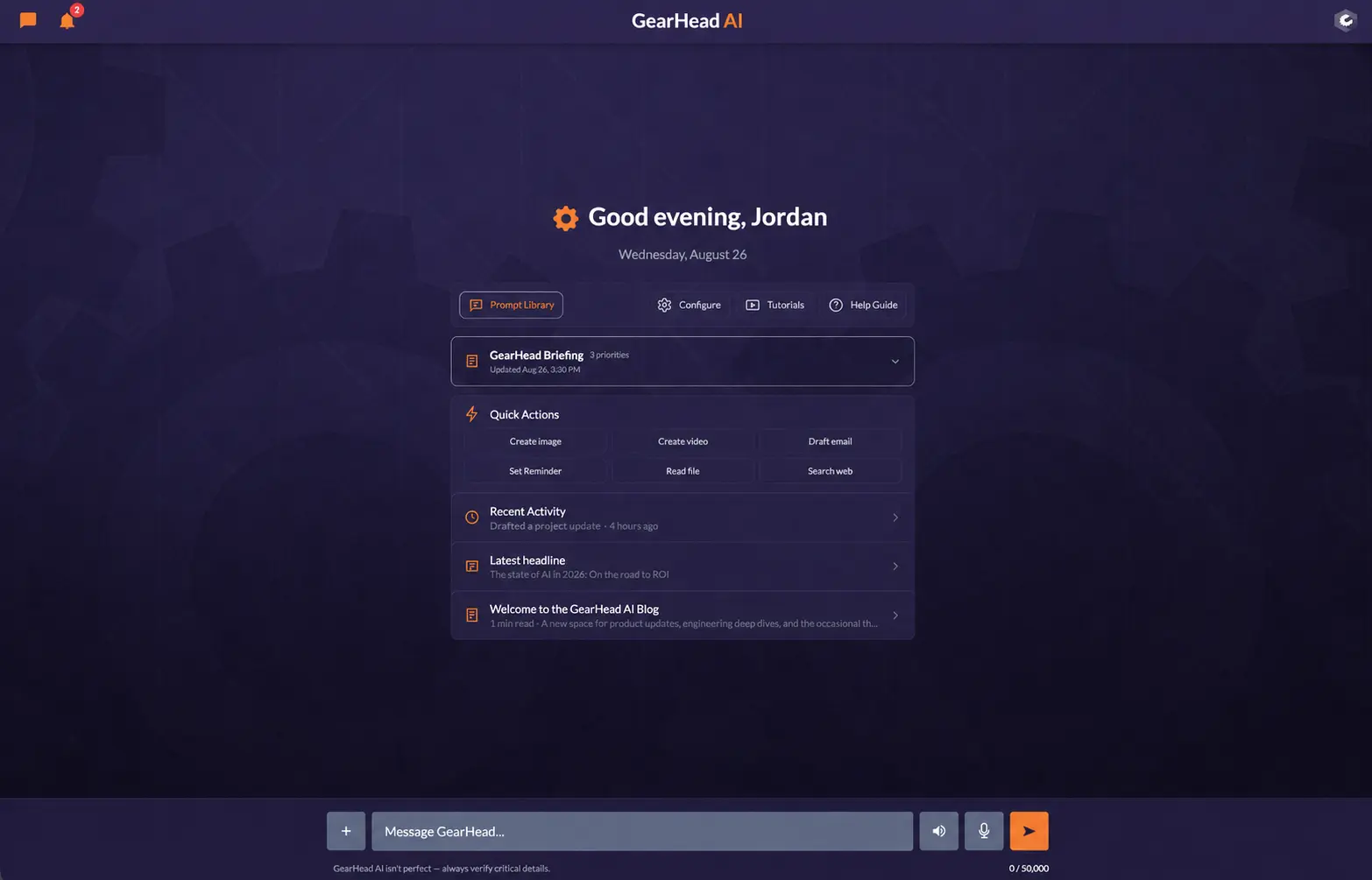
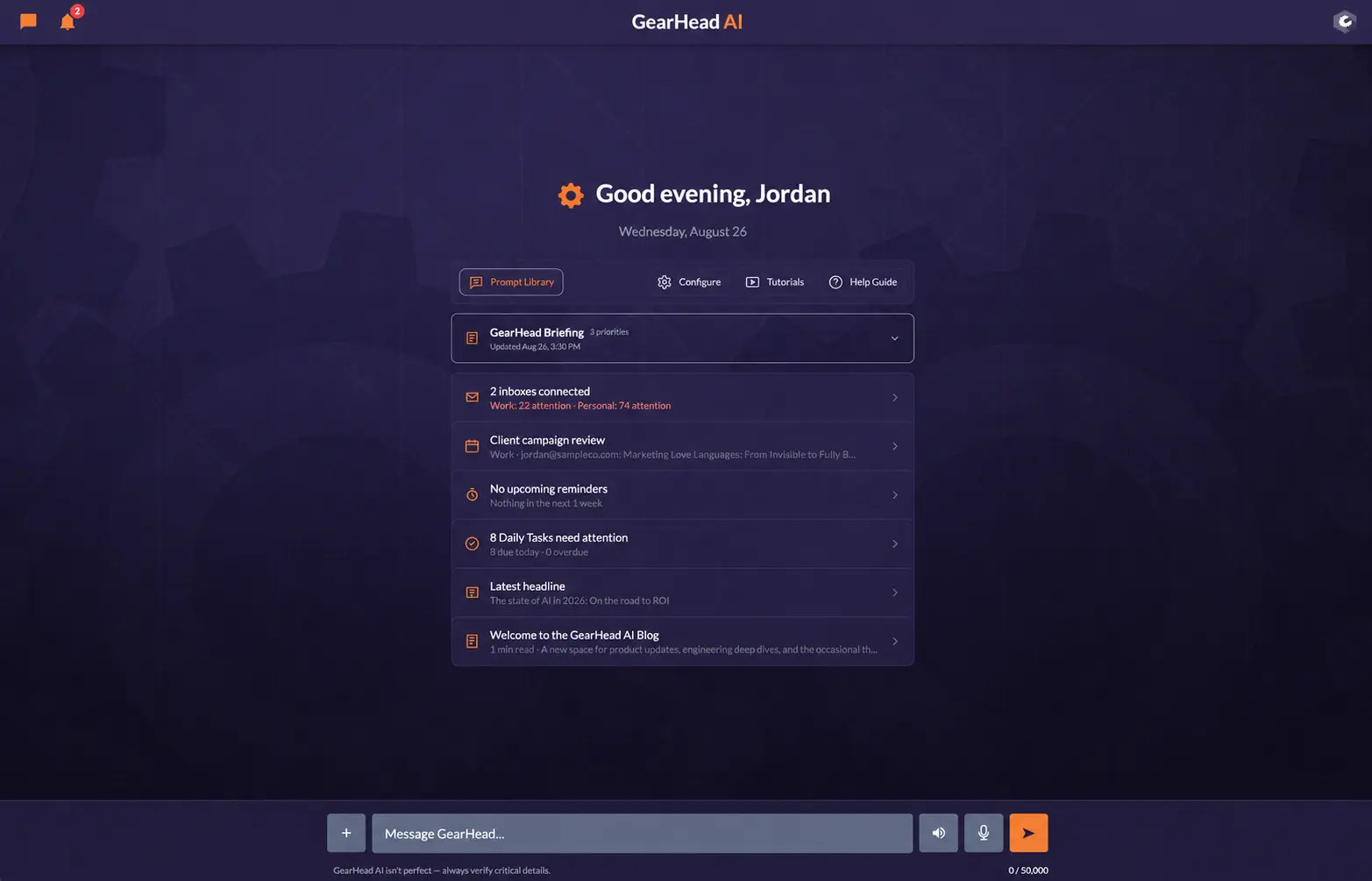
The Dashboard is configurable, device-aware, and always attached to the normal composer. New Chat provides a separate focused presentation of that same fresh-conversation state.
GearHead can combine live web search, specialist APIs, connected sources, codified playbooks, query expansion, source opening, coverage checks, and cited synthesis. When the evidence is weak, the search can reformulate or broaden instead of quietly stopping.
See how GearHead researches →Use a specialist or connected source when the question calls for it, and the open web when that is the right evidence layer.
Verify the requested entity, timeframe, authority, and coverage before treating retrieved material as a complete answer.
GearHead explains the findings in context, keeps citations near supported claims, and states limitations when a source fails.
GearHead combines structured context with full presentation and personality choices so the assistant can feel like yours without losing operational accuracy.
Add detailed information about you, your company, clients, responsibilities, specializations, industry focus, and the relationships between them.
Explore Memory →Choose Dashboard templates and modules, personas, voices, knowledge focus, colors, headers and footers, shapes, backgrounds, and other appearance preferences.
Explore Customization →Use proven, editable starting prompts from the Dashboard, focused New Chat, or the composer + menu. GearHead can also guide you to the right place.
Explore Prompt Library →Organize your own professional work without collaboration controls crowding a single-user account.
Bring additional people into the same operational context with established account and project boundaries.
The complete allowance and add-on details remain on Pricing. These are the current plan-owned starting prices.
$120/year@if($personalOfferActive) for the current 2026 offer@endif · $10 month-to-month.
$290/year · $29 month-to-month. Single-user professional workspace.
$390/seat/year · $39 month-to-month. Collaborative workspace with a two-seat minimum.
Included-model chat remains subject to model context windows, fair use, safety and abuse controls, and upstream availability. Premium models use finite weighted message allowances. See full pricing, allowances, and add-ons →
“When you walk into the office, a great manager does not wait for you to remember every system and ask every perfect question. They have already checked what matters, can explain it, and are ready to help handle the next step.”
That is the product standard behind GearHead: customer-service help for clients, a coach and colleague for staff, and an operational assistant for the owner—without pretending a task was completed when it was not.
Why GearHead was built →Open with questions, research, files, and documents—or bring the Dashboard, projects, connected tools, and team context into the same conversation from day one.